What Is xAI Grok Bot? Shared Cloud Computer, Routines, Approvals, and Six Workflows

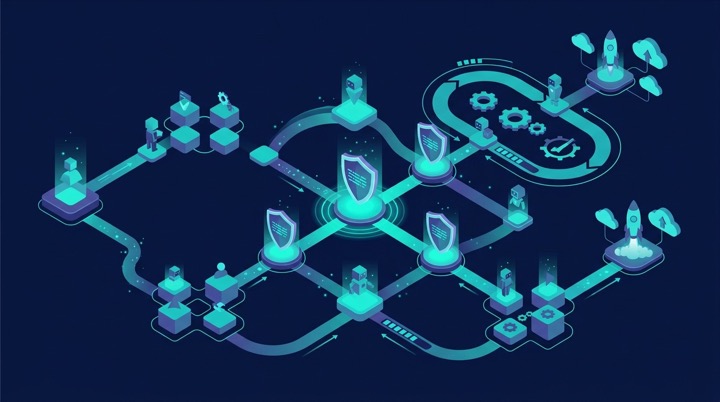
xAI Grok Bot Cloud VM and Autonomous Workflow Architecture Diagram

If your mental model of AI is still centered around opening a chat window, typing a prompt, and waiting for text to stream in, xAI’s Grok Bot is designed to upend that paradigm completely.

Grok Bot is neither a standard conversational chatbot nor just a terminal coding assistant like Grok Build. It is a persistent AI teammate that works on an account-scoped shared cloud computer. Tasks and routines can continue after you close your laptop, using browsers, files, and connected tools in the cloud.

As of August 2026, Grok Bot is still in early beta. Access and individual features vary by plan, platform, and rollout, so this guide separates documented capabilities from workflow ideas that still need testing.

This guide provides a comprehensive overview of Grok Bot’s underlying technical architecture, six high-impact real-world workflows discovered by the community, and essential best practices for safe deployment.
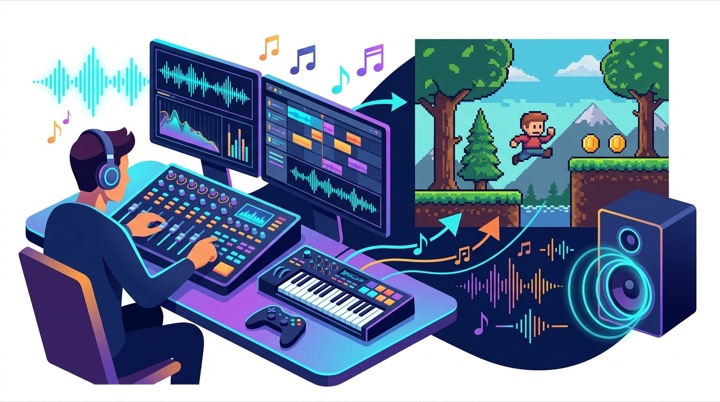

A Practical AI Game Audio Workflow: Local SFX and Suno BGM

AI-Powered Game Audio Pipeline Cover

In indie game development, audio is often one of the most time-consuming hurdles. Free sound libraries suffer from inconsistent quality, licensing risks, and overused clips. On the other hand, hiring a composer is rarely feasible for solo creators or game jam prototypes.

This article presents a practical audio pipeline for indie projects:

  • Prerequisites & Hardware: The official MOSS-SoundEffect-v2.0 path currently targets NVIDIA CUDA. Mac users relying on community ports must verify the source, license, compatibility, and actual performance separately.
  • Sound Effects (SFX): Local CLI / Python inference with Apache 2.0 licensed MOSS-SoundEffect-v2.0 (48 kHz) and Stable Audio Open 1.0, avoiding a per-generation cloud fee.
  • Background Music (BGM): Using Codex to structure the level brief, then taking the prompt into Suno. Commercial use requires songs created under a paid plan and compliance with the current terms.
  • Asset Management & In-Engine Testing: Building candidate pools and auditioning sound variants directly in the game engine.

From Vibe Coding to PR Review Bottlenecks: What Changed in Software Engineering?

Software engineering shifting from fast AI code generation to review, testing, and architecture discipline

When Andrej Karpathy introduced the phrase vibe coding, the idea captured a real change: people could describe an application, accept generated code, and get something running without reading every line. Weekend prototypes became dramatically easier, and social media quickly filled with predictions that software engineering itself was about to disappear.

Production work has revealed a more complicated picture. In the 2025 Stack Overflow Developer Survey, more respondents distrusted the accuracy of AI tools than trusted it. Two common frustrations were solutions that were almost correct and the extra time required to debug generated code.

AI can produce a large change quickly, but a human still has to understand its impact, run the system, review edge cases, and decide whether the result is safe to maintain. Generation became cheaper; verification did not.

Beyond Vibe Coding: The Complete Guide to Agentic SDLC, State Machines, Verification Gates, and Open-Source Frameworks

Comprehensive Agentic SDLC Software Development Lifecycle Architecture Diagram

Over the past year, AI-assisted software engineering transitioned from code completion tools to the high-energy excitement of Vibe Coding. Many developers grew accustomed to the intuitive loop: “Write a quick prompt -> Let AI generate code -> Run tests.” In toy projects with a few dozen lines of code, this intuitive mode feels magical. But once applied to complex production codebases with tens of thousands of lines and tightly coupled modules, vibe coding collapses rapidly.

You have likely encountered this frustrating scenario: the AI confidently claims a bug is fixed, but modifying module A silently breaks module B; five top-tier models review the code and declare it clean, yet production hits an immediate race condition; or the AI records “historical learnings” that pollute the knowledge base with hallucinated conventions after a single month of autonomous runs.

In software engineering, the real bottleneck has never been “code generation velocity”; it has always been “verification and delivery confidence.” To bridge the gap where generation speed vastly outpaces verification capability (the GenAI Divide), the only viable path is to establish an industrial-grade Agentic SDLC (Agent Software Development Life Cycle).

Run Gemini in OpenCode Using GCP $300 Free Credit (Vertex AI)

Using the GCP $300 free credit to run Gemini models in OpenCode

To code in OpenCode with free Gemini usage, connect via Google Cloud Agent Platform (formerly Vertex AI) rather than AI Studio. Create an API key in Agent Studio, paste it into OpenCode’s Vertex provider, and you can run Gemini 3.8 Flash, Gemini 4 Argon, or Gemini 4 Carbon funded by the 90-day GCP trial credit.

Looking for full $300 Welcome credit eligibility, card rules, Always Free limits, and billing safeguards first? Start with the main overview: Google Cloud $300 Free Credit: 90-Day Rules & Gemini API. This walkthrough focuses strictly on OpenCode configuration and token budgeting (updated November 25, 2026; screenshots are from a Traditional Chinese console).

Best Aseprite Extensions: 5 Plugins for Pixel Art and How to Install Them

Aseprite extensions and Lua scripts for a pixel art asset workflow

The five Aseprite extensions worth installing are three pay-what-you-want tools (free is allowed): Lospec Palette Importer (palette search and import), Magic Pencil (auto outlines, spray, layer lifting), and Isometric Guidelines (isometric grids). Two more cost US$5 or more: Wave Warp (wave animation) and Parallixel (parallax backgrounds). Install them from Edit → Preferences → Extensions → Add Extension. The trial version cannot run scripts, so none of them work there.

Below are each tool’s official download page, version requirements, key features, and limits, checked in October 2026.

Artificial Analysis Guide: 2026 LLM Leaderboard & Metrics

Artificial Analysis Independent Benchmarking Platform Cover

Artificial Analysis (artificialanalysis.ai) is an independent AI benchmarking site that runs every LLM through the same evaluations and API speed tests, comparing intelligence (Intelligence Index), speed (output speed and latency), and real cost (Cost per Task). As of November 2026 (Intelligence Index v5.0.1), Claude Fable 5.2 (max) leads at 65, while Gemini 4 Carbon (high) ranks 4th at 60 for less than a third of the per-task cost. Jump straight to Leaderboards → Models for live rankings, or read on to decode every chart and metric.

Grok 4.6 Powers Grok Build: What Changes for Long-Running AI Developer Workflows?

Grok 4.6 driving Grok Build for long-running autonomous development and parallel agent workflows

On August 12, xAI released Grok 4.6 and positioned it directly as the foundational model powering Grok Build. What makes this combination significant isn’t merely another row of benchmark scores, but how xAI embeds the frontier model into a dedicated terminal working environment capable of reading codebases, editing files, executing shell commands, invoking tools, and coordinating subagents.

In other words, Grok 4.6 handles reasoning and action generation, while Grok Build bridges the model into authentic software development workflows. When a task expands from “completing a single utility function” to understanding an entire repository, planning multi-file refactors, delegating investigations, running tests, and iteratively fixing bugs, the stability of model-harness collaboration matters far more than single-turn benchmark scores.

Bottom line: Grok 4.6 is not designed to instantly replace all existing AI coding tools, but to elevate Grok Build into a serious contender for long-running, autonomous agentic development.

Claude Code Cross-Session Messaging: List Sessions and Send Messages

Claude Code cross-session messaging between independent development sessions

To make two Claude Code sessions talk, run v2.1.224 or later (v2.1.234 on native Windows) and tell one session something like “let @api know the migration finished.” Claude finds the target with ListAgents, sends the text with SendMessage, and the reply comes back the same way. To list the sessions you can reach, type /list-agents (alias /peers); to see every session running in the background, run claude agents in your shell.

Only a piece of text crosses over, never conversation history or files, and each session keeps its own working directory and permissions. Everything below follows the official Message your other Claude Code sessions page, checked on 2026-10-19.

Codex Usage Limits: 5-Hour Window, Reset Times, and Banked Resets

Claude Code and Codex usage limit management guide

Check your remaining Codex usage and reset times in the official usage dashboard or with /status in the Codex CLI. Plus and Standard Business have a five-hour window and a weekly window; Pro currently has no five-hour limit, though weekly limits may apply. Your reset time is the one the dashboard shows for the exhausted window, not five hours after the error. When you run out, you can wait, apply a banked reset, or use credits. Looking for Claude’s banked reset instead? See the comparison below or the Claude banked reset guide.