Claude Code Cross-Session Messaging: Examples and Limits
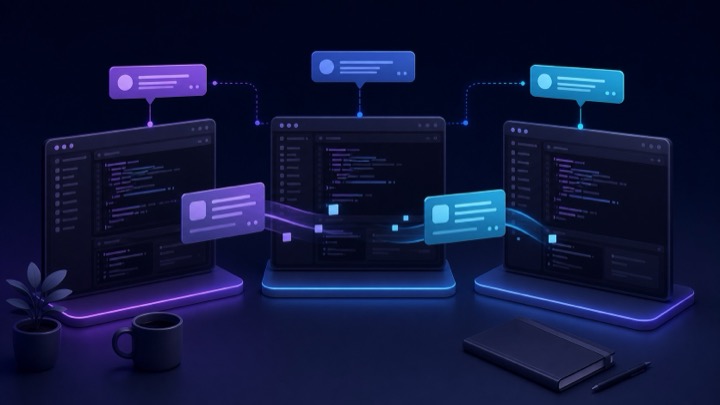
Claude Code cross-session messaging lets independent sessions exchange progress and task summaries. Tell Claude which session to contact and what you need to know. Each session keeps its own files, context, and permissions.
Try a Progress Check First
Enter this prompt in your current Claude Code session:
1 | Ask the session working on the API for its progress, interface changes, and anything the frontend needs to know. Summarize its reply. |
You do not need to call ListAgents or SendMessage yourself. If Claude cannot find the target, use /list-agents to check reachable sessions and confirm its name.
This feature does not merge conversations, transfer files, or create shared memory. Each session keeps its own working directory, permissions, and context. Messaging adds a coordination layer between independent workers.
Requirements and Availability
According to the current Claude Code cross-session messaging documentation:
- macOS, Linux, and Linux inside WSL 2 require Claude Code 2.1.224 or later;
- native Windows requires Claude Code 2.1.234 or later;
- messaging is available automatically when the session and authentication provider meet the requirements;
- some managed or third-party provider environments may not support it.
Check your installed version:
1 | claude --version |
Update Claude Code before troubleshooting missing commands or unreachable peers.
What Cross-Session Messaging Actually Sends
A message is a piece of text written by one Claude and delivered to another. The receiving session gets the sender’s session name and the message text. It does not receive:
- the sender’s full conversation history;
- files that only exist in the sender’s worktree;
- uncommitted changes from another filesystem;
- approval to bypass permissions;
- a shared task list.
Claude Code uses two tools internally:
ListAgentsdiscovers reachable sessions and agents;SendMessagesends text to a named target.
You normally do not invoke these tools yourself. Ask Claude in natural language to contact the appropriate session.
A Basic Two-Session Workflow
Open two terminals in the same project or, preferably, in separate worktrees. Name each session so it is easy to identify:
1 | /rename api |
In the other terminal:
1 | /rename frontend |
You can also assign a name when starting or resuming an interactive session with the appropriate Claude Code command-line option.
From the frontend session, ask:
1 | Ask the api session whether the migration is complete. Return the changed endpoint, response fields, compatibility concerns, and test status. |
Claude finds the target, writes a focused message, and sends it. If the API session is idle, Claude Code starts a new turn with the message. If it is busy, the message is delivered between tool calls so an active tool operation is not interrupted.
See Which Sessions Are Reachable
Run this inside Claude Code:
1 | /list-agents |
The list can contain:
- subagents in the current session;
- Agent Teams teammates;
- other local interactive or background sessions;
- reachable Claude Code web sessions;
- Remote Control sessions on another machine.
Local sessions appear only when they have bound an inbox socket or named pipe. Two sessions also need access to the registration files used for discovery. A host session and a session inside an isolated container do not automatically see one another because they use different filesystems and endpoints.
Mention a Session Directly
Claude Code 2.1.232 and later can suggest live local sessions after you type @ followed by part of the session name. A prompt can then be as direct as:
1 | Tell @api-worker that the schema migration is complete and the new field is tenant_id. |
If several sessions share a name, Claude Code asks which one you mean or uses the short identifier shown in the agent list.
Get a Notice When Another Session Finishes
Claude Code 2.1.236 and later can request a one-time notice when another local session next becomes idle or exits. This is useful for a long build, migration, or test run.
Ask in natural language:
1 | Tell me when the migration session finishes its current work and include a one-line status. |
Claude subscribes through SendMessage using an idle-notification option. The watched session does not need to be polled repeatedly. The notice is one-shot and expires if no qualifying event arrives within the documented time limit.
This idle-notification mechanism is limited to sessions on the same machine. It does not apply to subagents, teammates, or sessions beyond the machine.
Local, Cross-Machine, and Web Delivery
The route depends on where the target runs.
| Target | Delivery path | Important consequence |
|---|---|---|
| Same macOS or Linux machine | Per-session Unix socket | Message does not pass through Anthropic servers |
| Same native Windows machine | Per-session named pipe | Connection authenticates with a per-session key |
| Another of your machines | Anthropic service through Remote Control | Cross-machine approval controls can apply |
| Claude Code on the web | Anthropic service | Message goes directly to the cloud session |
Cross-machine conversation initiation requires Claude Code 2.1.225 or later and a target that appears in the reachable-session list. If the sending session is not connected to Remote Control, a message may arrive without a reply address, making it one-way.
Do not include API keys, credentials, personal information, or unnecessary proprietary code in a cross-machine summary.
Use Worktrees for Parallel Code Changes
Messaging coordinates work but does not isolate files. If two sessions modify the same checkout, they can still overwrite changes or create a confusing working tree.
Create separate Git worktrees for substantial parallel tasks:
1 | git worktree add ../project-api feature/api |
Give each session a clear boundary. For example:
| Session | Owns | Sends when complete |
|---|---|---|
| API | endpoint and schema changes | response contract and test result |
| Frontend | components and client types | expected API fields and UI status |
| Tests | regression and integration checks | failures, evidence, and release blockers |
Cross-session messages should carry decisions and status. Git remains responsible for code history, merging, and conflict resolution.
Cross-Session Messaging vs Other Claude Code Features
Several Claude Code features involve more than one worker, but their responsibilities differ.
| Feature | Primary purpose | Shared conversation | Shared task list |
|---|---|---|---|
| Cross-session messaging | Coordinate independent sessions | No | No |
/resume |
Continue an existing conversation | Yes | Not applicable |
| Subagents | Delegate focused work from one parent session | Results return to parent | No shared team list |
| Agent Teams | Coordinate a lead and multiple teammates | Separate contexts with team messaging | Yes |
| Agent view | Watch and steer multiple sessions | No | Depends on sessions |
| Remote Control | Personally steer a session from another device | Same controlled session | Not applicable |
Use /resume when you need the earlier conversation itself. Use a subagent when the current session should delegate a bounded investigation. Use Agent Teams when Claude should coordinate workers through a shared task system. Use cross-session messaging when you started and control independent sessions that need occasional handoffs.
Control Incoming Messages
The crossSessionInbound setting controls how a session treats incoming peer messages:
1 | { |
The supported values are:
accept: deliver messages to Claude automatically;hold: display and retain them until the applicable rules allow delivery;refuse: drop incoming peer messages.
For an interactive session, hold is a cautious choice when you do not want another session to create a new turn automatically. For a controlled unattended worker, accept may be appropriate only when you understand the senders and task boundary.
Require Approval for Cross-Machine Messages
Set isolatePeerMachines when messages leaving the current machine should always require explicit approval:
1 | { |
This setting does not add an approval prompt to same-machine messaging. It protects the boundary where a message would travel through Anthropic’s service to another machine.
Disable Messaging
Receiving and sending are controlled separately. To refuse inbound messages and prevent Claude from listing or messaging peers:
1 | { |
Denying SendMessage also affects messages to subagents and Agent Teams teammates because the same tool is used for those targets. Treat it as a broad messaging restriction.
Security Boundaries Remain Per Session
An incoming message is not user authorization. The receiving session still applies its own permission rules, project instructions, and tool restrictions.
Claude Code specifically prevents peer messages from:
- approving a pending permission request;
- changing permission settings or project instructions;
- executing slash commands contained in the message text;
- bypassing a restriction that applied to the sending session.
If acting on a message needs permission, the receiving session prompts normally. This preserves the distinction between coordination from another agent and approval from the user.
Non-Interactive Sessions
A long-running claude -p process can bind an inbox and appear in the reachable-session list. A minimal bare-mode process does not bind one and cannot receive cross-session messages.
A non-interactive process cannot show an approval dialog. For a controlled worker that must receive messages unattended, the inbound setting needs to allow delivery explicitly:
1 | claude -p "Run the migration checks and report the result" \ |
Use this only in a trusted workflow. An explicit accept at user scope affects every session, so a narrowly supplied setting is safer than enabling it globally without review.
Write Better Handoff Messages
The best message is brief, factual, and actionable:
1 | Work: login API schema update |
Avoid vague requests such as “look at what I changed” or “take over the other session’s work.” The receiving session does not have the sender’s context. Include the decision, evidence, impact, and expected next action.
Troubleshooting
/list-agents Is Missing
Check the Claude Code version and platform requirements. Native Windows support begins later than macOS and Linux support. Also verify that the authentication provider and organization policy permit messaging.
A Local Session Does Not Appear
Confirm that it is still running, has an inbox endpoint, and can see the same session-registration files. Containers, WSL 2, and the Windows host have separate filesystem and socket boundaries.
A Message Is Held
Inspect crossSessionInbound, the permission modes of both sessions, and any managed settings. A held message is not delivered to Claude until approved or until a higher-precedence setting allows it.
The Other Session Cannot See My Files
That is expected when the files are uncommitted in another worktree or live on another machine. Send a summary, commit the required changes, or use the normal Git integration flow. Messaging never transfers files.
A Cross-Machine Session Cannot Reply
The original message may have been sent without a Remote Control reply address. Reconnect the sending session to Remote Control and confirm that both sessions appear in /list-agents.
Final Takeaway
Cross-session messaging is valuable because it stays narrow. It gives independent Claude Code sessions a way to exchange progress, decisions, and blockers without pretending that they share memory, files, permissions, or a task system.
Use it for concise engineering handoffs. Use worktrees to isolate code, Git to integrate it, and the receiving session’s permissions to protect execution. When the work needs central coordination rather than occasional messages, switch to Agent Teams or another purpose-built workflow.