
Grok 4.6 Powers Grok Build: What Changes for Long-Running AI Developer Workflows?
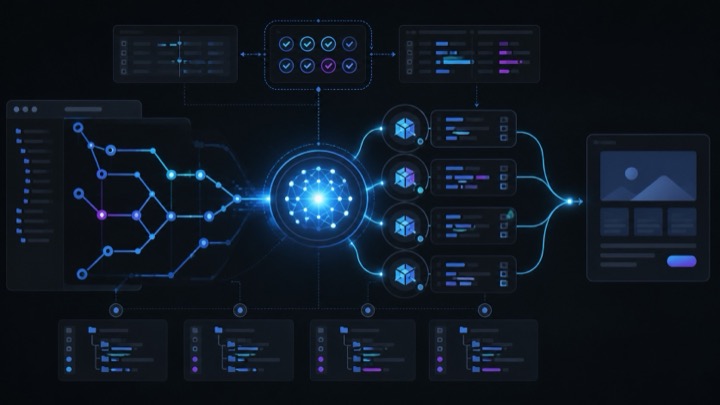
On August 12, xAI released Grok 4.6 and positioned it directly as the foundational model powering Grok Build. What makes this combination significant isn’t merely another row of benchmark scores, but how xAI embeds the frontier model into a dedicated terminal working environment capable of reading codebases, editing files, executing shell commands, invoking tools, and coordinating subagents.
In other words, Grok 4.6 handles reasoning and action generation, while Grok Build bridges the model into authentic software development workflows. When a task expands from “completing a single utility function” to understanding an entire repository, planning multi-file refactors, delegating investigations, running tests, and iteratively fixing bugs, the stability of model-harness collaboration matters far more than single-turn benchmark scores.
Bottom line: Grok 4.6 is not designed to instantly replace all existing AI coding tools, but to elevate Grok Build into a serious contender for long-running, autonomous agentic development.
Clarifying Four Easily Confused Product Names
One of the most confusing aspects of xAI’s recent announcements is the overlapping nomenclature between models, products, and features:
| Name | Architectural Identity | Primary Use Case |
|---|---|---|
| Grok 4.6 | Frontier Foundation Model | Code generation, agentic tool use, deep reasoning, vision inputs |
| Grok Build | Terminal Coding Agent & Open Harness | Inspecting repos, planning diffs, executing tools, subagent coordination |
| grok-build-0.1 | Early Coding Model (May 2026) | Original standalone model driving early Grok Build CLI versions |
| Build Mode | Web/Mobile Generative Platform | Browser-based prompt-to-app generator (no local installation required) |
Therefore, Grok Build is not an alias for Grok 4.6. The former is the agent harness managing context, tools, and execution permissions; the latter is the underlying engine driving it. While xAI launched grok-build-0.1 in May as its early coding model, the current Grok Build Documentation explicitly confirms that the engine powering Grok Build is now grok-4.6.
Meanwhile, Build Mode operates as an instant creation environment for non-developers to preview and publish web apps on mobile or desktop without a local setup. When working with local Git repositories, diff inspection, and test suites, the conversation is strictly about Grok Build.
Grok 4.6 Focuses on Long-Horizon Task Persistence
According to the Grok 4.6 Announcement, xAI focused this generation on extended agent autonomy, deep codebase interaction, and multi-step verification. The model is tuned to proactively test its own outputs and push broad product ideas toward functional first releases.
In long-running development, failures rarely stem from an AI’s inability to write a specific line of syntax. Instead, agents typically fail because they lose track of original constraints after successive tool calls, modify out-of-scope files, skip running tests, or stop prematurely at the first plausible answer. Maintaining focus across context compression, error recovery, and multi-file patches is the true threshold for practical developer adoption.
Grok Build Transforms Capabilities into Auditable Workflows
The real strength of Grok Build is that it avoids compressing the engineering process into a single massive prompt. For complex tasks, developers can enter Plan Mode, allowing the agent to formulate step-by-step proposals. Users can review, comment on, or edit individual plan items before granting execution approval, with all changes displayed as clean Git diffs.
This “plan first, approve second, inspect diffs” paradigm closely mirrors the engineering rigor of the Superpowers framework: as model capabilities grow, deterministic review gates become indispensable.
Grok Build also ingests existing AGENTS.md files, skills, plugins, hooks, and MCP servers natively. For larger tasks, it can spin up parallel subagents across isolated Git worktrees, preventing simultaneous write conflicts on the main working tree.
In July, xAI open-sourced the Grok Build terminal interface and agent harness, enabling developers to audit prompt construction, tool execution, and extensibility firsthand.
Critical Guardrails for Long-Running Agent Autonomy
“Capable of autonomous execution” does not mean “suitable for unmonitored deployment.” Because Grok Build reads and writes files, runs shell commands, and connects to external APIs, robust guardrails remain essential:
- Use Plan Mode First: Always verify scope and apply sandbox constraints before allowing file modifications.
- Define Executable Done-When Criteria: Express acceptance criteria as deterministic unit tests, type checks, or lint rules.
- Isolate Branches and Worktrees: Keep agent work in separate branches and manually inspect diffs prior to merging.
- Enforce Human Gates on Sensitive Actions: Require explicit human approval for deployments, data deletions, and paid API calls.
- Restrict MCP Tool Scopes: Follow the principle of least privilege rather than granting broad root filesystem access.
Grok 4.6 API Pricing & Long-Context Tiers
According to the xAI API Official Pricing, Grok 4.6 features a 500,000-token context window, switching to long-context rates once prompt input reaches 200,000 tokens (prices per 1M tokens):
| Context Tier | Input | Cached Input | Output |
|---|---|---|---|
| Short Context (< 200K) | $2.00 | $0.50 | $6.00 |
| Long Context (>= 200K) | $4.00 | $1.00 | $12.00 |
Once a request crosses the 200K token threshold, all tokens in that request are billed at the higher rate. For long-running agents where conversations, tool outputs, and subagent traces accumulate quickly, effective context pruning and caching strategies are crucial to managing costs.
Who Should Adopt Grok Build Today?
If you work predominantly in the terminal, have established AGENTS.md guidelines, run automated tests, and frequently tackle multi-module refactoring, Grok 4.6 paired with Grok Build offers a compelling developer experience. Its value lies not just in raw model intelligence, but in how Plan mode, diff inspection, worktrees, skills, and MCP integrate into a cohesive engineering interface.


