
What Is xAI Grok Bot? Shared Cloud Computer, Routines, Approvals, and Six Workflows
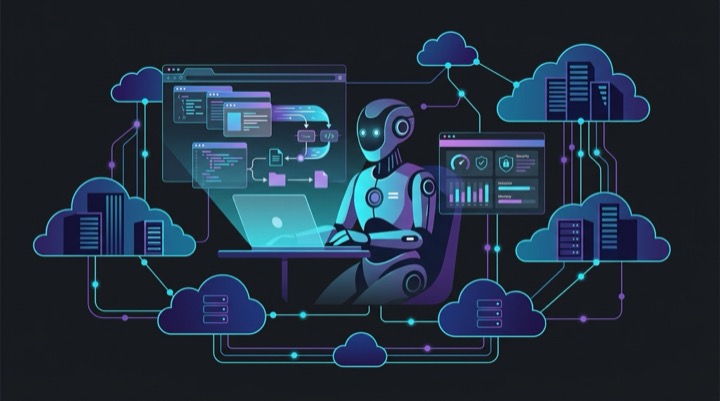
If your mental model of AI is still centered around opening a chat window, typing a prompt, and waiting for text to stream in, xAI’s Grok Bot is designed to upend that paradigm completely.
Grok Bot is neither a standard conversational chatbot nor just a terminal coding assistant like Grok Build. It is a persistent AI teammate that works on an account-scoped shared cloud computer. Tasks and routines can continue after you close your laptop, using browsers, files, and connected tools in the cloud.
As of August 2026, Grok Bot is still in early beta. Access and individual features vary by plan, platform, and rollout, so this guide separates documented capabilities from workflow ideas that still need testing.
This guide provides a comprehensive overview of Grok Bot’s underlying technical architecture, six high-impact real-world workflows discovered by the community, and essential best practices for safe deployment.
Product Landscape: Understanding the Four Grok Offerings
To avoid common confusion across xAI’s product ecosystem, here is a breakdown of how each tool is structured:
| Product | Primary Interface | Core Focus | Requires Local Machine Running? |
|---|---|---|---|
| Grok (Chatbot) | Web / Mobile App / X Feed | Real-time search, daily Q&A, multimodal image/voice | No, but it is not a persistent background workspace |
| Grok Build | Local Terminal CLI / TUI | Codebase refactoring, Plan mode, MCP tool expansion | Yes (Runs in your local repo and terminal) |
| xAI API | REST API / Python SDK | Programmatic access for custom applications | Depends on your server setup |
| Grok Bot | Persistent cloud computer | Background work, browser actions, scheduled routines | No, though routines may pause after a long absence |
In short: Grok is your encyclopedia, Grok Build is your pair programmer, and Grok Bot is your digital staff member.
The 4 Architectural Pillars of Grok Bot
Why can Grok Bot handle complex end-to-end tasks that standard chatbots fail at? It comes down to four foundational architectural features:
1. Persistent Cloud VM Environment
Each Bot is a persistent, named teammate with its own conversation and working context. However, all Bots on one account share the same cloud computer. Files, browser sessions, app logins, and command-line credentials may be available across the entire Bot roster. This makes handoffs easier, but separate Bots must not be treated as security boundaries.
2. Human-Grade GUI and Browser Interaction (Computer Use)
Most traditional automation fails when third-party tools lack public APIs. Grok Bot leverages multimodal computer-use capabilities to interact directly with graphical interfaces—opening Chromium instances, navigating URLs, recognizing UI components, clicking buttons, downloading CSVs, and submitting forms just like a human operator.
3. Teach-by-Demonstration and Scheduled Routines
After completing a task successfully, you can save its method as a skill and schedule it as a Routine. Some accounts also have Teach a task, which records a short browser demonstration. That feature is rolling out gradually, and the generated skill is still a draft: review its steps, add failure handling and approval boundaries, then test it with safe data before scheduling it.
4. Human-in-the-Loop Approval Gates
Grok Bot supports approval prompts and Auto Review rules, but you should not assume every consequential action will be blocked automatically. State boundaries in the task and configure Require Approval rules for sending, purchasing, deleting, publishing, permission changes, and production work. Auto Review is a useful layer, not a replacement for least privilege and human judgment.
Six Workflows Worth Testing Carefully
The following examples are based on documented Grok Bot capabilities. They are workflow patterns, not proof that every integration works on every account. Check connector access, website permissions, and approval settings before using them with real data.
Workflow 1: The “Chief of Staff” Multi-Agent Architecture
One pattern shown in xAI’s launch material is hierarchical delegation:
- Chief of Staff Bot: Acts as the central orchestrator. It receives high-level strategic objectives, decomposes them into atomic subtasks, and assigns them to specialized agents.
- Inbox Triage Bot: Monitors inboxes, categorizes high-priority items, and drafts suggested responses.
- Data Scout Bot: Continuously gathers market intelligence and tracks keyword velocity.
All bots coordinate within a shared workspace thread, handing off artifacts seamlessly before the Chief of Staff compiles a final briefing for human review.
Workflow 2: High-Velocity Intent Lead Generation
With authorized public sources and a connected CRM, Grok Bot can help prepare a business-development pipeline:
- Scheduled Research: Checks selected websites or connected sources for relevant signals.
- CRM Deduplication: Directly opens your CRM (HubSpot/Salesforce) to check if the lead or account already exists.
- Contextual Drafting: If the prospect matches your Ideal Customer Profile (ICP), the bot drafts a personalized outreach email referencing their recent context, staging it in an approval queue for the sales team.
Workflow 3: Autonomous Bug Reproduction and QA Ticketing
Engineering teams use Grok Bot to automate manual QA verification:
- Ticket Ingestion: Ingests unstructured bug reports from customer support channels.
- Sandbox Simulation: Boots a staging instance in its cloud browser and follows the user’s reported steps.
- Evidence Capture: Collects the error messages, screenshots, and reproduction steps that are available in the environment.
- Issue Creation: Generates clean, reproducible Markdown reports containing environment specs and logs directly into GitHub Issues or Jira.
Workflow 4: Cross-Platform RPA for Legacy Systems Without APIs
For legacy ERPs, internal portals, or government databases lacking webhooks:
- Grok Bot logs into the legacy portal on schedule and downloads raw export files.
- Inside its cloud VM terminal, it runs Python / Pandas scripts to clean and reformat the data.
- It opens modern tools (such as Airtable or Notion) and submits the structured entries via GUI input.
Workflow 5: Scheduled Brand and Competitor Watch
Using routines and authorized information sources:
- Grok Bot checks brand mentions and competitor announcements on a defined schedule.
- Filtered by sentiment analysis models, the bot triggers Slack/Telegram webhook alerts only when negative sentiment velocity exceeds safe thresholds, attaching an executive summary and top influencers involved.
Workflow 6: Nightly Offline Batch Routines
Maximizing the benefit of an always-on cloud environment:
- Daily Morning Briefings: Crawls five key industry databases at 4:00 AM, compiles analytics, and prepares an executive PDF report ready on your phone by 8:30 AM.
- Content Asset Preparation: Periodically analyzes trending themes, generates prompt-aligned vector artwork via image models, and queues drafts into the content repository.
3 Essential Best Practices & Security Guardrails
To deploy Grok Bot safely and effectively, keep these three operational principles in mind:
1. Narrow and Specific Roles
Avoid creating a monolithic “do-it-all” agent. Narrow roles such as “Invoice Auditor” or “Changelog Tracker” make inputs, outputs, and failure boundaries easier to inspect, but they still require testing.
2. The “Read-and-Prepare First” Approach
When introducing new routines, restrict the agent’s permissions to read-only analysis and drafting. Once you have verified multiple successful dry runs, gradually grant write, database, and outbound communication permissions.
3. Maintain Clear Security Boundaries
All Bots on an account share one persistent cloud computer, including its filesystem, browser sessions, and command-line credentials. Never store unencrypted production API keys or root database credentials in that environment, and never use separate Bots as a security boundary.
Summary: The Shift from Tool to Teammate
The evolution from single-turn chat to terminal coding agents and now persistent cloud agents like Grok Bot marks a fundamental shift: AI is moving from a reactive assistant to an autonomous collaborator capable of delivering completed outcomes.
Mastering this new paradigm is less about writing clever prompts and more about defining clear task boundaries, establishing robust verification gates, and offloading repetitive operational loops to autonomous cloud teammates.
Official Sources
- xAI: Introducing Grok Bot
- xAI Docs: Grok Bot and the shared cloud computer
- xAI Docs: Skills, demonstrations, and routines
- xAI Docs: Approvals, security, and privacy


