
What Is CLIProxyAPI? Codex Login and Open-Source Integrations Explained
Many open-source AI tools ask for the same three things during setup: an API base URL, an API key, and a model name. The catch is that a ChatGPT subscription and the OpenAI API are separate products. Paying for ChatGPT does not automatically give you a platform API key.
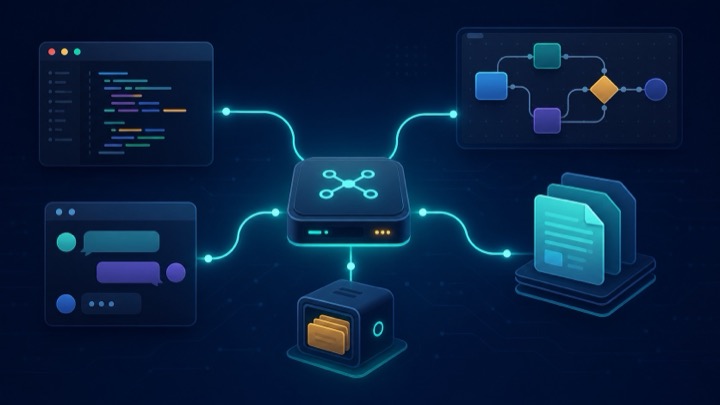
CLIProxyAPI adds a local translation layer between those worlds. You sign in to Codex with your ChatGPT account, then compatible tools talk to a familiar API endpoint on your own computer. It is an interesting option for people who want to choose their own interface instead of staying inside one client.
What Does CLIProxyAPI Actually Do?
Think of CLIProxyAPI as a travel adapter. An open-source application speaks the OpenAI-compatible API format, while Codex login uses a different connection path. CLIProxyAPI receives a request, translates it, sends it upstream, and returns the response in a format the application understands.
Its main capabilities include:
- Codex OAuth login without giving another application your ChatGPT password.
- OpenAI-compatible endpoints, including support for the Responses API.
- Streaming responses, tool calls, and text or image input.
- One local connection point that can be reused across multiple clients.
CLIProxyAPI is not the official OpenAI API and does not grant extra usage. It is a third-party open-source gateway, and every request still counts against the limits of the account used for Codex.
Does Codex Support Third-Party Tools?
OpenAI’s official Codex for Open Source page says developers should be able to code in their preferred tools and explicitly names Codex, OpenCode, Cline, and pi. Tibo from the OpenAI Codex team has also stated that using your subscription through Sign in with ChatGPT in supported open-source clients is fine.
However, the same public statement draws an important line: converting a subscription into API traffic and then re-serving or sharing it across many users is not supported. This confirms that users can choose third-party clients, but it is not a blanket certification of every proxy project. The safest way to use CLIProxyAPI is locally, with your own account, for your own clients.
The Shortest Setup Overview
On macOS, the project provides a Homebrew installation:
1 | brew install cliproxyapi |
After browser authorization, follow the official quick-start guide to create the configuration and start the service. A compatible client will usually need:
- API base URL: http://127.0.0.1:8317/v1
- API key: the local access key you created in the CLIProxyAPI configuration
- Model name: use the model list shown by your installed version
That API key is not an OpenAI platform key. It is the password protecting your local CLIProxyAPI endpoint. Model names and configuration details change between releases, so check the current documentation instead of copying an old tutorial verbatim.
Different Open-Source Uses, One Example Each
The star counts below are approximate GitHub figures checked on August 30, 2026. Each row represents a different type of use rather than another similar chat client.
| Direction | Representative project | Approx. stars | Relationship to CLIProxyAPI |
|---|---|---|---|
| AI coding | OpenCode | 146K | Supports custom OpenAI-compatible providers and is the clearest direct example |
| Self-hosted web chat | Open WebUI | 150K | Adds the local endpoint to a browser-based interface |
| AI workflows and apps | Dify | 154K | Can connect through an OpenAI-compatible model provider |
| Document knowledge base | RAGFlow | 90K | Can use a compatible chat endpoint, but usually still needs a separate embedding model |
| Persistent coding memory | agentmemory | 26K | Pairs with Codex or OpenCode through MCP; it does not call CLIProxyAPI directly |
You do not need all of them. Try OpenCode if you want a different coding interface, Open WebUI for browser chat, Dify for workflows, or RAGFlow for document question answering. agentmemory belongs beside the stack when persistent project context is the missing piece.
Limits to Understand Before Installing
- Do not expose the port publicly: Bind the service to 127.0.0.1 unless you fully understand authentication, TLS, and network access controls.
- Never upload OAuth files or keys: Do not commit authorization files or configuration secrets to GitHub, and do not share them with other people.
- Compatible does not mean identical: Some applications also require embedding, speech, or other APIs. Codex alone will not unlock every feature.
- Your original limits still apply: A different interface does not add quota, and some agent clients may consume context faster than the official client.
Is CLIProxyAPI Worth Installing?
If you only use the official Codex client and have no interest in other interfaces, CLIProxyAPI is unnecessary. If you already use several open-source AI projects and repeatedly encounter an API base URL field, it can consolidate those connections behind one local endpoint that you control.
That is the practical value of CLIProxyAPI: it is not a new AI model, but a translation layer that makes Codex easier to use with existing open-source tools.


