
Open-Source Game Architectures for AI Agents: Closed Loops, Editor Bridges, and Pragmatic Stacks
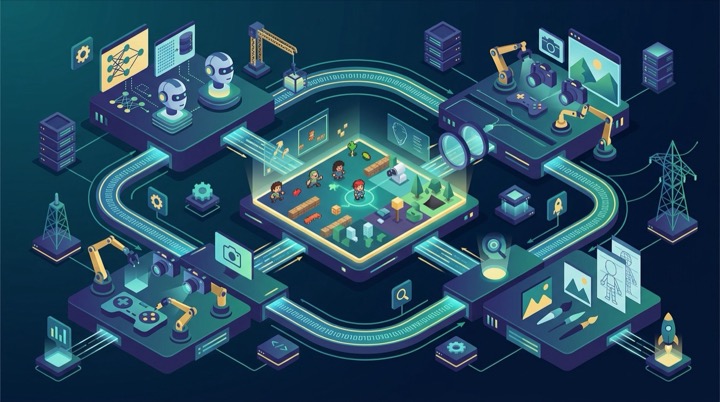
In our previous deep dive on Beyond Vibe Coding: The Complete Agentic SDLC Architectural Guide, we examined how state machines and deterministic verification gates enable AI Coding Agents to reliably ship software. But when you transplant those principles into game development, engineers hit an immediate brick wall:
In standard Web or backend projects, an AI agent verifies its work by running unit tests, inspecting compiler diagnostics, or calling REST APIs. Games, however, are intrinsically visual, spatial, and real-time interactive systems. If you ask an agent to construct a 3D scene inside a traditional game engine, it frequently produces overlapping primitive boxes, missing textures, and broken spatial hierarchies.
This is not because AI cannot write game code. It happens because traditional game engines were conceived for human visual interaction, rather than autonomous programmatic manipulation by AI agents.
The Core Bottleneck: Game Development Lacks “Visible Feedback”
When discussing engine stacks, developers often ask: Does AI write better C#, GDScript, or TypeScript?
This misses the fundamental engineering challenge entirely. In game development, the critical bottleneck is simply:
Can the AI actually boot the game, see the screen, and verify whether the player fell through the floor?
If an agent writes gameplay scripts without runtime visibility, every modification is pure guesswork. Conversely, if your development stack enables an agent to take automated screenshots, parse console errors, and simulate player input, it can diagnose and resolve bugs just like an experienced human engineer.
This explains why Web-first game technologies frequently offer a vastly superior AI development experience. Modern browsers natively provide DOM trees, Canvas rendering, and console event streams. Paired with automation tools like Playwright, an AI agent can boot the game in a headless sandbox, play through a level, and verify layouts visually in seconds.
Below, we cut straight to practical implementation: in an open-source, fully self-hosted stack, which architectures genuinely solve this visibility problem?
Stack 1: Web-Native Code-First (2D Champion: Phaser 4)
In practical testing, this architecture offers the smoothest experience for AI agents with minimal friction.
- 2D Stack: Phaser 4 + TypeScript + Vite + Standard Web UI + Playwright
- 3D Stack: Babylon.js (or Three.js) + TypeScript + Vite + Playwright
Why This Stack Suits AI So Well
The advantage is straightforward: nearly everything in the project is plain text.
Gameplay rules are written in TypeScript, UI overlays are styled with plain HTML and CSS, and level data lives in JSON. When the AI alters code, the dev server hot-reloads instantly. Playwright automatically takes a screenshot and scans the console log. The AI examines the capture and immediately knows if a menu is misaligned or a sprite is missing.
For 2D, Phaser 4 is licensed under MIT and officially designed to be AI-ready. Its repository includes agent skills covering scene lifecycles, physics collisions, input handling, animations, and cameras.
If you are developing 2D RPGs, farming sims, card battlers, idle games, or platformers, this is currently the fastest iteration stack available.
Stack 2: Web Engine with Local Visual Editor (3D Champion: Babylon.js)
When building 3D games, hardcoding 3D transform coordinates purely in code often leads to spatial misalignment. The ideal solution is an open-source 3D engine backed by a desktop visual editor.
The premier implementation is Babylon.js with Babylon Editor 5.
A Crucial Distinction: Three.js vs. Babylon.js
Many developers treat these two as interchangeable, but their architectural scopes differ:
- Three.js is an exceptional 3D rendering library, dedicated to drawing objects. Game fundamentals like rigid-body physics, skeletal animation controllers, and audio managers must be assembled by hand.
- Babylon.js is a comprehensive open-source game engine (under Apache-2.0), providing scene graphs, physics plugins, particle systems, and animation pipelines out of the box.
Crucially, Babylon Editor 5 is not a closed SaaS web service. It is a completely open-source desktop application built with Electron (buildable on Windows, macOS, and Linux from source), completely free from proprietary cloud dependencies.
Native MCP and CLI Integration
Babylon Editor directly integrates the Model Context Protocol (MCP) and dedicated CLI tools. This means an AI agent can programmatically instruct the editor to create meshes, configure lighting, attach TypeScript scripts, and trigger viewport screenshots for visual review.
During builds, babylonjs-editor-cli operates headlessly without a graphical display, packing scenes and optimizing textures directly on self-hosted CI runners.
Stack 3: Traditional Engine with AI Bridges (The Right Way to Use Godot)
Developers love Godot because it is lightweight, fully featured, and completely free under the MIT License. Furthermore, its scene format (.tscn) is human-readable text.
The Common Mistake: Blind Text Edits
Many developers instruct AI agents to edit raw .tscn text files directly, which frequently fails.
While .tscn is plain text, it consists of numeric matrices:
1 | [node name="House" type="Node3D"] |
The AI can modify numbers, but it cannot visualize whether those coordinates cause the building to clip underground or obstruct the camera. Without rendering feedback, the agent is guessing.
The Modern Solution: Local Editor Bridges
The open-source community recently introduced dedicated bridge tools (such as Godot Editor MCP and Swallowtail). These tools open a local communication bridge into the editor. The AI can:
- Inspect the live scene tree.
- Command Godot to create nodes or attach scripts.
- Launch test play sessions, inject controller inputs, and capture rendered frames.
Instead of editing files blindly, the agent verifies game behavior interactively.
An Important Caveat: Godot 4 Web Exports
If you plan to publish to the Web, stick strictly with GDScript rather than C#. Official Godot 4 C# (.NET) projects cannot export to WebAssembly directly, and mobile C# export remains experimental. For native desktop games, both GDScript and C# are fully supported.
Stack 4: Stop Asking AI to Model From Scratch, Use Lego Bricks
Here is a trap encountered by nearly every developer exploring 3D with AI: Never ask an AI agent to assemble towns out of dozens of primitive box meshes in code.
Having an AI compute hundreds of 3D vertices programmatically consumes thousands of tokens and produces awkward results.
The pragmatic division of labor is “Assets come from 3D libraries, assembly is handled by AI”:
- Prepare models in Blender (or download from open-source asset repositories) and export them as clean
.glb(glTF) files (e.g.,house_a.glb,boat_b.glb). - Have the AI write high-level rules, such as
spawn("boat_b", Harbor.Center).
Keep 3D models atomic and well-crafted. Let the AI focus on rules and placement logic, keeping the codebase manageable and clean.
Stack 5: Distributing to Mobile App Stores via Capacitor
If your core game runs on Web technology but your release roadmap targets iOS App Store and Google Play, Capacitor is the premier open-source bridge.
The engineering advantage is substantial:
- 95% of Daily Work: Agents develop inside fast TypeScript, HTML, and browser sandboxes with instant hot-reloading and automated Playwright tests.
- 5% Platform Features: Only device-specific capabilities—such as In-App Purchases (IAP), ads, push notifications, and haptic feedback—call native Capacitor plugins.
Capacitor is fully open-source (MIT License). It generates standard Xcode and Android Studio projects directly on your machine, eliminating third-party cloud build lock-in.
Multiplayer Backends: What to Choose
When your game introduces multiplayer networking, backend architecture directly dictates agent productivity:
- Room-Based Co-op and Casual Multiplayer (Recommended):
- Use Colyseus (Node.js / TypeScript).
- Both client and server run TypeScript, allowing networking protocols, state schemas, and game rules to be shared across the codebase without duplicate type definitions.
- Persistent Accounts, Leaderboards, and Social Features:
- Self-host Nakama.
- A single
docker compose upspins up a complete game server with PostgreSQL, providing turnkey authentication, matchmaking, and storage out of the box.
Architecture Quick Reference
| Architecture Stack | Primary Tools | Logic Authoring | Visual Verification | Engine Scope | Target Platforms | Ideal Game Types |
|---|---|---|---|---|---|---|
| Web 2D Code-First | Phaser 4 + TypeScript | Extremely Easy | Excellent (Playwright screenshots) | Solid | Web, Mobile (via wrapper) | 2D Sims, RPGs, Cards, Action |
| Web 3D + Local Editor | Babylon.js + Babylon Editor | Extremely Easy | Excellent (Native MCP + captures) | Full Engine | Web, Mobile (via wrapper) | Spatial 3D, Showcase Demos |
| Traditional Engine + Bridge | Godot 4 + Swallowtail / MCP | Good | Good (Via bridge captures) | Comprehensive | Desktop, Mobile, Web (GDScript) | Cross-platform Mid-Core Indie Titles |
| Pure Code ECS Stack | Bevy + Rust | Clear semantics, shifting API | Minimal (No official GUI editor) | Evolving | Desktop, Experimental Web | Complex Rule Sims, Procedural Worlds |
| Web Wrapped to Mobile | Phaser / Babylon + Capacitor | Extremely Easy | Excellent | Inherited from Web engine | iOS, Android, Web | Cross-platform Casual & Mid-core Games |
| Unified Multiplayer | Colyseus + TypeScript | Extremely Easy | N/A (Backend logic) | Dedicated Networking | Cross-platform clients | Room-based Co-op, Turn-based Battles |
Recommended Tooling Combos
If you are pairing with an AI Coding Agent to build a game today, start with these proven workflows:
For 2D Games (Web & Mobile):
- Phaser 4 + TypeScript + Vite.
- Use Playwright for automated testing and visual screenshot assertions.
- Package with Capacitor when deploying to iOS and Android.
- Use Colyseus if multiplayer networking is needed.
For Lightweight 3D Web & Cross-Platform Games:
- Babylon.js paired with Babylon Editor 5.
- Model assets externally as
.glbfiles; let the AI place objects via MCP and inspect captures for lighting adjustments.
For Mid-Sized Native 3D Games:
- Godot 4 (using GDScript).
- Install Swallowtail or Godot Editor MCP so the AI inspects scenes and captures runtime frames rather than editing raw text blindly.
Conclusion
In the era of AI-assisted software development, the criteria for choosing a game engine have fundamentally shifted:
The best game engine is not the one with the most buttons or longest feature checklist. It is the one that most easily allows an AI agent to see the result, run tests independently, and correct its own mistakes.
When you equip an AI agent with an environment that provides automated visual captures, transparent error logs, and pure-text configuration, the AI transforms from an error-prone assistant into a formidable development partner.


