
Cloudflare Free Stack: Free Tiers, Limits, and Starter Stacks for 41 Services

Cloudflare’s free allowances are spread across dozens of official pages, and the billing units are easy to misread. I collected 41 commonly used services into one guide. Each entry lists the free allowance, the limits, when billing starts, and the official sources. The site also has five starter stacks. It is written in Traditional Chinese, so the screenshots below show Chinese labels.
Visit the site: Cloudflare Free Stack
Free, no sign-up. Jump straight to the starter stacks or the notes on billing units.
Coverage and pricing labels
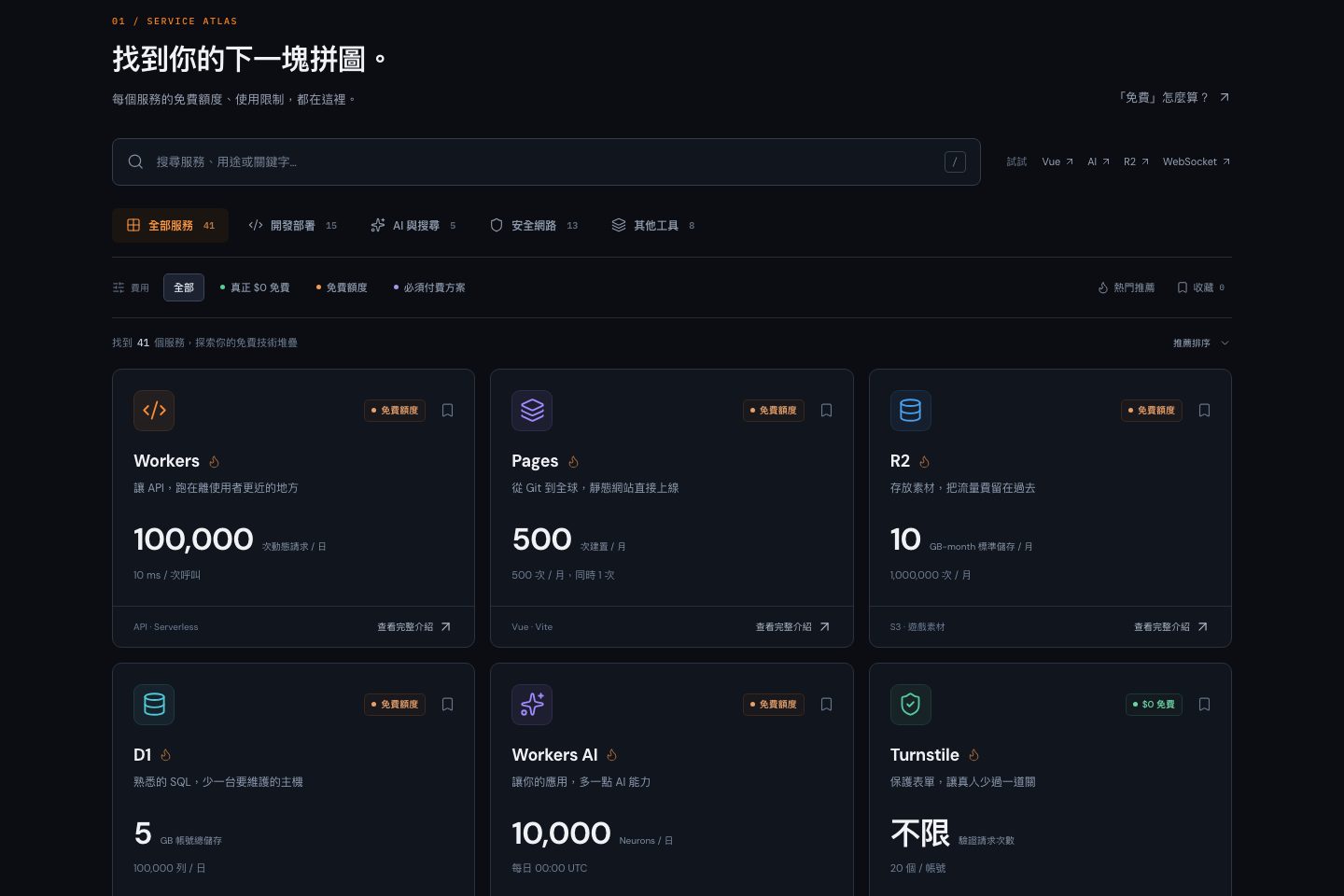
The 41 services fall into four groups: 15 for building and deploying, 5 for AI and search, 13 for security and networking, and 8 other tools. All figures were checked on 2026-10-19. Each service has one of three pricing labels:
| Label | Meaning | Count |
|---|---|---|
| Truly $0 | Not billed by usage, such as DNS, CDN, SSL, DDoS Protection, Tunnel, and Turnstile | 14 |
| Free allowance | Daily or monthly caps; hitting one stops the service or starts billing | 23 |
| Paid plan required | Included for comparison, so they are not mistaken for free | 4 |
You can search by name, use case, or keyword (press / or Cmd + K on the home page), filter by group and pricing, and save services. Filters are written into the URL, so you can share a view.
Free allowances for core services
| Service | Free allowance | Watch out for |
|---|---|---|
| Workers | 100,000 requests / day, 10 ms CPU per invocation | Requests are shared with Pages Functions |
| Pages | Unlimited static requests, 500 builds / month | Functions count against Workers quotas |
| R2 | 10 GB-month, US$0 egress | Requires billing setup; overages are billed |
| D1 | 5M rows read / day, 100K rows written / day | 5 GB per account, 500 MB per database |
| Workers KV | 100K reads / day, 1K writes / day | Eventually consistent; not for balances or game state |
| Durable Objects | 100,000 requests / day | Free plan supports only the SQLite backend |
| Workers AI | 10,000 Neurons / day | Neurons are not requests |
| Turnstile | Unlimited verifications | Tokens must be verified on your server |
Numbers that are easy to misread
- Workers AI: Neurons depend on the model and on input and output length. They are not requests.
- Vectorize: 5M counts vector dimensions. That holds roughly 6,500 vectors with 768 dimensions.
- Queues: 10,000 counts operations. Delivering one message normally takes 3.
- D1: Reads count rows scanned, so queries without an index use them up quickly.
- Pages‘ 500 is builds, Cron‘s 5 is triggers, and DNS‘s 200 is records. None of them count usage.
Four services that look free but are not
| Service | Price | The only free part |
|---|---|---|
| Email Sending | From Workers Paid at US$5 / month | Email Routing for inbound forwarding |
| Images Storage | US$5 per 100,000 images / month | 5,000 image transformations a month |
| Stream | US$5 per 1,000 minutes stored / month | Uploads and encoding |
| Containers | From Workers Paid at US$5 / month | None; free Workers are not a Docker host |
Five starter stacks
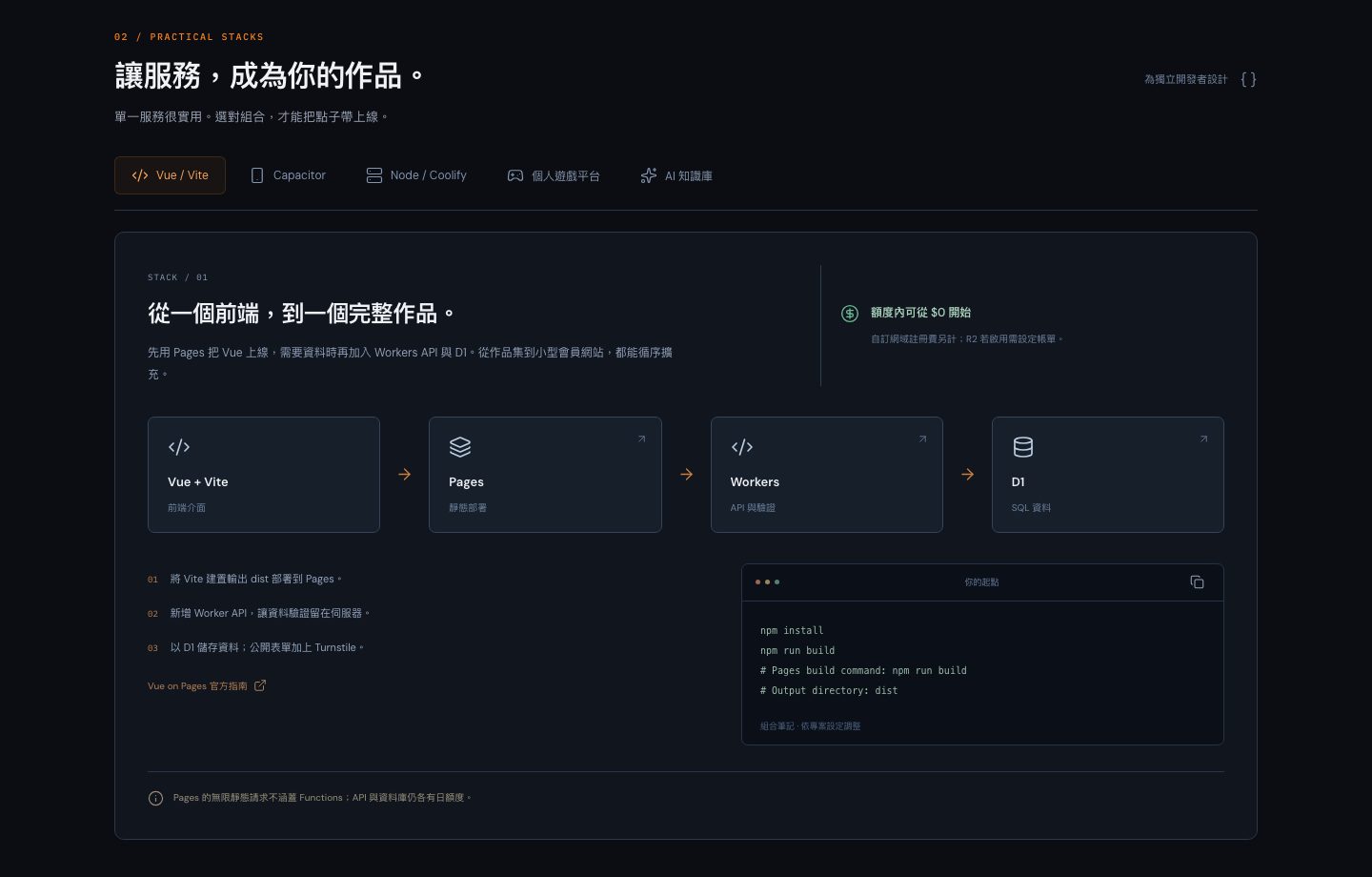
| Stack | Flow | Watch out for |
|---|---|---|
| Vue / Vite | Vue → Pages → Workers → D1 | Only static requests are unlimited; APIs and databases have their own caps |
| Capacitor | Capacitor → Workers → D1 → R2 | Never ship R2 credentials or API secrets inside the app |
| Node / Coolify | Tunnel → your own VPS → R2 | Tunnel only connects; you still pay for the server |
| Personal game platform | Pages → Durable Objects → D1 → R2 | Keep game state out of KV, and never trust client-reported rankings |
| AI knowledge base | Workers AI → Vectorize → AI Gateway | AI Search billing starts on 2026-11-01 |
Service pages
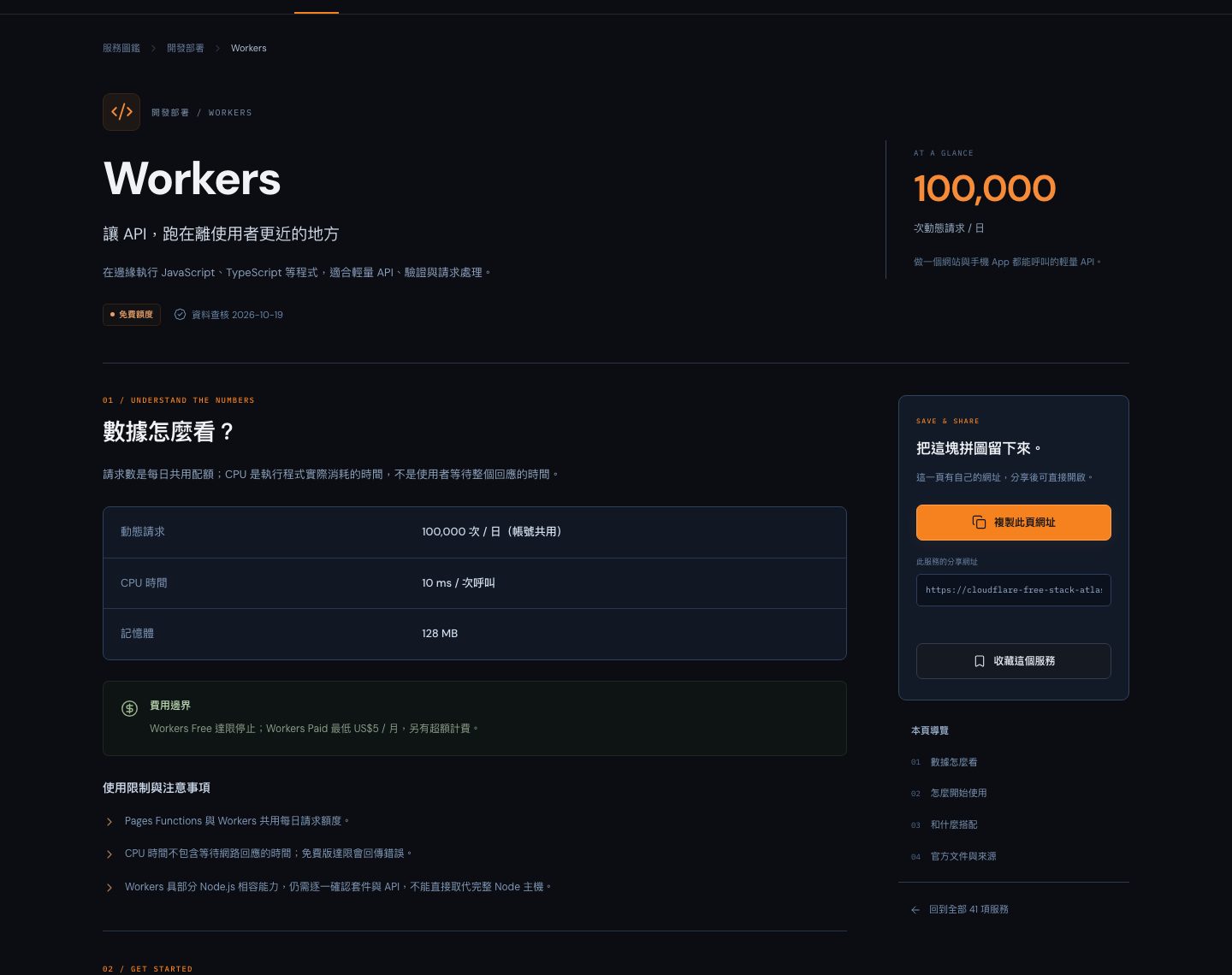
Each card opens its own page, such as Workers. A page explains the allowance and lists setup steps with sample code, services to pair it with, and links to the official docs.
The figures are a snapshot from 2026-10-19, so check the official pages before you rely on them. This is my own independent project, not an official Cloudflare resource.


