
The Definitive Open-Source AI Image Model Selection Guide: VRAM, Quality, and Style Matrix
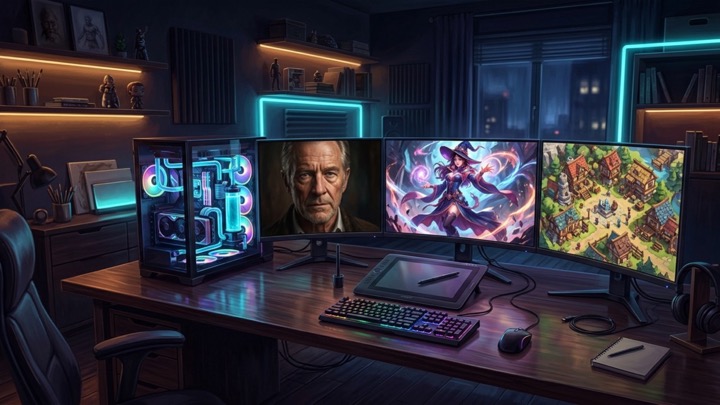
When creators and indie developers first set up a local AI image generation environment, the primary challenge is rarely installing the user interface. Instead, it is navigating the overwhelming sea of thousands of checkpoint files available across open-source model repositories. Selecting the wrong foundation model leads to frustrating outcomes: either your GPU runs out of VRAM and crashes, or you spend hours rerolling generations without achieving acceptable visual quality or anatomical stability.
The open-source image generation ecosystem has matured far beyond monolithic baselines into specialized architectural families. Foundation models now diverge significantly in parameter scale, training datasets, semantic language understanding, and hardware demands. This guide analyzes today’s leading open-source models across three pragmatic dimensions: hardware VRAM thresholds, architectural fidelity, and stylistic specialization, helping you pinpoint the ideal engine for your creative workflow.
Three Core Dimensions for Model Selection
Choosing the right foundation model requires balancing three interrelated constraints rather than relying on leaderboard popularity:
1. GPU VRAM and Memory Bandwidth
Parameter count directly dictates the baseline memory footprint. When a model exceeds your physical VRAM, PyTorch offloads weights to slower system RAM, causing inference speeds to plummet or triggering out-of-memory errors. Modern quantization formats like GGUF and NF4 have reshaped this equation, enabling mid-tier cards to run heavyweight models smoothly.
2. Neural Architecture: U-Net versus DiT
Legacy architectures like Stable Diffusion 1.5 and SDXL rely on U-Net backbones. While they offer the most expansive ecosystems of community LoRAs and ControlNets, they struggle with complex natural language parsing. In contrast, modern models such as FLUX and SD 3.5 adopt Diffusion Transformer (DiT / MMDiT) architectures coupled with large language models like T5, allowing them to comprehend intricate multi-subject spatial instructions.
3. Style and Dataset Specialization
No single model dominates every artistic style. Photorealistic engines trained on photographic corpuses often produce stiff, plastic results when tasked with anime illustrations. Conversely, anime-specialized models cannot synthesize authentic photographic lighting or architectural textures.
Hardware VRAM Tiers and Quantization (4GB to 24GB)
Before downloading multi-gigabyte safetensors files, verify your GPU capabilities against these operational tiers:
| Hardware Tier | Representative Hardware | Recommended Model & Quantization | Operational Notes |
|---|---|---|---|
| Entry Level (4GB to 6GB) | GTX 1660, RTX 3050, Entry Laptops | SD 1.5 Community Fine-tunes | Near-instantaneous generations. Constrained to native 512×512 resolution; requires latent upscaling to resolve fine detail. |
| Mainstream Sweet Spot (8GB to 12GB) | RTX 3060, RTX 4060, RTX 4070 | SDXL Native, SD 3.5 Medium, FLUX.1 Schnell/Dev (GGUF Q4/NF4) | The most cost-effective tier. Quantized FLUX and mature SDXL workflows generate 1024×1024 assets effortlessly. |
| High-End Production (16GB to 24GB) | RTX 4080, RTX 3090, RTX 4090, Apple Silicon (36GB+ Unified Memory) | FLUX.1 Dev (Native FP8/BF16), SD 3.5 Large (FP16) | Enterprise workstation baseline. Supports uncompressed precision, heavy LoRA stacks, and deep latent refinement without trade-offs. |
Running 12B Models on 8GB VRAM: GGUF and NF4
Historically, a 12-billion-parameter model like FLUX was inaccessible to cards with 8GB or 12GB VRAM. In modern node engines like ComfyUI or Forge, you can run GGUF (Q4_K_S, Q5_K_S) or NF4 quantizations directly. These formats compress 16-bit floating-point weights down to 4 or 8 bits, lowering working memory requirements to between 7GB and 11GB with minimal perceptible degradation in final image fidelity.
In-Depth Analysis of Leading Open-Source Models
The modern landscape is shaped by four primary architectural families:
1. FLUX.1 (Dev / Schnell): The Industry Benchmark for Realism and Typography
Engineered by Black Forest Labs (founded by the original Stable Diffusion inventors), FLUX.1 features a massive 12B parameter DiT architecture and stands as the gold standard for photorealism and prompt adherence.
- Variants: FLUX.1 [schnell] is released under an Apache 2.0 open-source license optimized for 4-step generation. FLUX.1 [dev] provides higher-fidelity non-commercial weights ideal for finished visual assets.
- Core Strengths:
- Elimination of Plastic Artifacts: Skin micro-textures, pupil depth, natural subsurface scattering, and volumetric lighting represent a generational leap over legacy diffusion models.
- In-Image Text Rendering: Capable of legibly generating written English words and typography across street signs, product labels, and documents without synthetic gibberish.
- Complex Compositional Parsing: Leverages the T5-XXL text encoder to accurately position multiple subjects according to prepositional cues.
- Trade-offs: Native precision requires enterprise-grade hardware. Stylized anime output requires specialized LoRA adaptation, as the base model defaults to painterly realism.
2. Stable Diffusion 3.5 (Large / Medium): Balanced Architectural Evolution
Stability AI‘s flagship generation incorporates Multi-Modal Diffusion Transformers (MMDiT), resolving early anatomical instabilities while providing flexible commercial licensing.
- Variants: Features the 8B parameter SD 3.5 Large for studio setups and the compact 2.5B parameter SD 3.5 Medium designed to run on standard 8GB consumer GPUs out of the box.
- Core Strengths: Strong commercial licensing terms, clean human proportions, reliable text generation, and balanced aesthetic versatility.
- Trade-offs: The third-party ecosystem of fine-tuned checkpoints and custom LoRAs is newer and smaller compared to the mature SDXL catalog.
3. SDXL (Stable Diffusion XL): The Most Mature Production Workhorse
Despite newer architectural arrivals, the U-Net-based SDXL remains the undisputed backbone of open-source production pipelines due to its comprehensive tooling.
- Core Strengths: Hosts tens of thousands of community-tuned checkpoints (such as Juggernaut XL and RealVisXL), extensive LoRA libraries on Civitai, and robust ControlNet pose and depth extractors.
- Best Suited For: Developers running 8GB to 12GB GPUs who require precise structural guidance through OpenPose, line art, or multi-LoRA character stacking.
4. Illustrious versus Pony Diffusion: The Anime and Illustration Showdown
For stylized art, anime concepts, and character illustrations, two SDXL derivatives define the modern standard:
- Pony Diffusion V6: Trained extensively on Danbooru tagging taxonomies. It offers near-flawless adherence to specific character outfits, angles, and poses via keyword tags, supported by an expansive library of community character LoRAs. However, it requires strict prompt formatting and can impose an aggressive aesthetic bias.
- Illustrious-XL (and NoobAI): The next-generation anime foundation. Illustrious-XL improves upon Pony by excelling at natural language prompting, offering superior native anatomy, dynamic lighting ranges, and painterly lines without relying on rigid tag prefixes.
Model Selection Decision Matrix
| Creative Objective | Recommended Model | Optimal Format | Target VRAM | Primary Rationale |
|---|---|---|---|---|
| Commercial Photorealism & Editorial Portraits | FLUX.1 [dev] | GGUF Q5/Q8 or FP8 | 12GB to 16GB | Unrivaled micro-skin textures, natural light falloff, and cinematic depth. |
| Posters, Typography, and Graphic Layouts | FLUX.1 or SD 3.5 Large | GGUF Q4 or FP8 | 8GB to 16GB | High precision text spelling and multi-subject spatial reasoning. |
| Anime Illustrations and Stylized Game Art | Illustrious-XL / Pony V6 | Native Safetensors | 8GB to 12GB | Optimized 2D anatomical models with deep community anime asset support. |
| Rigid Pose Control & Pipeline Integration | Fine-tuned SDXL | Safetensors FP16 | 8GB to 12GB | Mature ControlNet, IP-Adapter, and multi-LoRA stacking support. |
| Legacy Hardware or Rapid Storyboarding | SD 1.5 Community Tuned | Pruned Safetensors | 4GB to 6GB | Minimal compute footprint with sub-second generation speeds. |
Next Steps: Integrating Your Model into a Production Pipeline
Selecting the ideal foundation model is only the initial step toward eliminating random trial and error. In production workflows, predictable quality demands combining your base model with structural control and automated refinement.
To explore how to anchor character consistency with ControlNet, automate micro-inpaint passes with ADetailer, and construct modular multi-tier workflows in ComfyUI, refer to our comprehensive architectural guide: Beyond Random Prompting: The Definitive Guide to Deterministic AI Image Generation with ComfyUI, LoRA, and ControlNet. Pairing the right neural engine with a disciplined pipeline guarantees reliable, production-grade visual assets.


