
What Can Dots Do? 18 Practical Examples in Six Categories

What can Dots do? Think about concrete work: preparing a meeting, comparing tools, building a website, planning a trip, or following a project’s progress. These 18 examples in six categories include a request you can adapt, the output to ask for, and the conditions needed to do the work. Start with the category closest to your own task.
These are illustrative uses, not personal tests or guarantees of completion. Product information was checked against official documentation on October 2, 2026. The screenshots show interface entry points; the cover is a concept illustration.
Find a category for your task
| Category | Three examples |
|---|---|
| Collaboration | Meeting prep, document reconciliation, email replies |
| Research and data | Topic research, tool selection, spreadsheet analysis |
| Writing and content | Articles, content adaptation, localization |
| Development and operations | Event websites, bug fixes, log diagnosis |
| Daily planning | Travel options, product comparisons, weekly plans |
| Ongoing tracking | Release updates, deadline risks, incoming reports |
Dots can use Codex, connected tools, and its own cloud computer to work on tasks. You can also allow it to connect to your computer. What it can accomplish depends on accessible sources, available tools, execution environment, and permissions. Official Dots overview
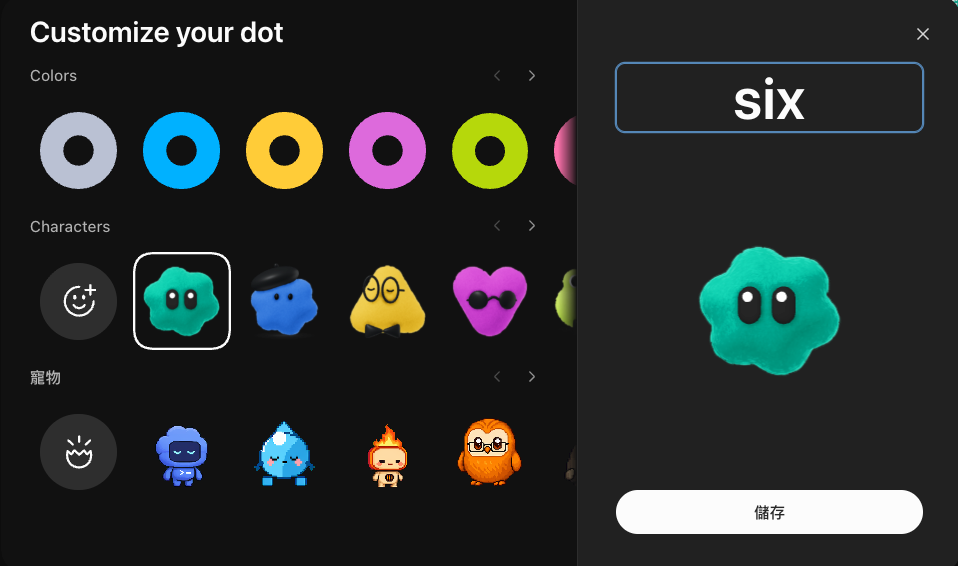
Appearance is an entry point. The examples below are grouped by what you want delivered.
1. Collaboration: turn scattered information into next steps
1. Prepare unresolved questions before a meeting
When a meeting has several background documents, start with what needs discussion.
Use the previous notes, design proposal, and task list to prepare a brief for Friday’s redesign meeting. List agreed decisions, disagreements, and three unresolved questions, with a source for each point.
Output: A meeting brief, suggested agenda, and decision list.
Prerequisites: Provide the correct versions. Checking times requires calendar access; preparing a brief does not include rescheduling or sending it to attendees.
2. Identify conflicts before merging document versions
Dates, budgets, and owners may have been updated in different copies.
Compare these three event plans, using the one marked latest as the main draft. Retain additions, flag conflicting figures for my decision, and save a consolidated draft without overwriting the originals.
Output: A comparison table, unresolved questions, and an editable consolidated draft.
Prerequisites: Identify the main draft and output location. Updating a cloud document requires editing permissions; modification dates do not establish which content is correct.
3. Prepare a reply to a long email exchange
A collaboration proposal may contain questions left unanswered across several replies.
Read only this proposal thread and list the questions still awaiting answers. Draft a reply using my availability and conditions. Flag unconfirmed commitments and do not send it.
Output: Unanswered questions, a reply draft, and decisions for you.
Prerequisites: Provide the messages or relevant read access. Sending needs specified recipients and content; drafting alone does not authorize email delivery.
2. Research and data: keep sources and comparison criteria visible
4. Research a new topic with traceable sources
Define the question first, so the result is more useful than a pile of links.
Read the official documentation and original research on this technology. Explain the problem it addresses and known limitations in a one-page brief, dated sources included. Flag conflicts and information you could not establish.
Output: A research brief, source list, and open questions.
Prerequisites: Specify the topic, depth, and deadline. Paid or restricted sources need access; search snippets alone are insufficient evidence.
5. Select a tool against your constraints
Project management or backup tools should be compared against actual requirements.
Compare these three tools by team size, data export, offline needs, and budget. Date the pricing information, explain when each fits, and propose a small trial.
Output: A comparison table, tradeoffs, and trial steps.
Prerequisites: Name the essential requirements and check current specifications and prices. A recommendation does not establish hands-on testing or include a subscription purchase.
6. Clean a spreadsheet before answering a specific question
Registration exports can contain duplicates, inconsistent dates, and missing fields.
Inspect this registration sheet for duplicates, missing values, and unrecognized dates without deleting them. Save a cleaned copy, count attendees by session, and explain the counting rules.
Output: A cleaned sheet, anomaly list, and session counts.
Prerequisites: Define duplicates and valid registrations, retaining the original. Descriptive statistics do not establish causes.
3. Writing and content: turn source material into deliverables
7. Write an article within an existing blog workflow
The work includes style, sources, images, and publishing conventions.
Research official sources for this topic, follow my editorial style, and include a cover, citations, and SEO fields. Deliver a previewable draft first. If I have requested publication, build and publish through the specified blog process and return the live URL.
Output: Article files, assets, source notes, and a preview; authorized publication also includes the live URL and deployment result.
Prerequisites: Provide style references, an accessible project, and the destination. Fact-checking, draft review, and checking the live page remain necessary.
8. Adapt long material for different formats
An interview can become an episode summary, clip candidates, and social drafts tailored to their formats.
Use this timestamped interview transcript to draft show notes, identify three candidate clips, and write two social posts. Use only quotations from the source, retain timestamps, and do not publish yet.
Output: Show notes, clip candidates, and social drafts.
Prerequisites: Provide readable material and platform length limits. A transcript cannot establish whether video edits feel natural; actual editing needs media files and suitable tools.
9. Localize content across languages
Terminology, examples, and units matter alongside translation.
Adapt this Traditional Chinese article into Simplified Chinese and English, following the glossary and brand voice. Preserve figures, steps, and sources. Provide a three-language comparison and flag cultural or unit questions for me.
Output: Three versions, terminology mapping, and questions to resolve.
Prerequisites: Specify the audience, tone, and content that must stay fixed. Important wording needs review; translation alone does not establish suitability for every market.
4. Development and operations: deliver files and verification evidence
10. Build an event page with a working preview
This assignment covers layout and links as well as copy.
Build a one-page event website from this material, using the project’s existing style. Preserve registration dates, location, and links. Provide a preview and check mobile layout and links; use my specified deployment method when publication is authorized.
Output: Website files, an accessible preview, and check results; authorized publication adds a live URL.
Prerequisites: Supply assets, the project, and a working build environment. Login, form submission, or payments require additional specifications and services; appearance alone does not prove they work.
11. Fix a bug from reproduction through verification
“Mobile buttons do not work” needs reproduction steps and a defined scope.
Use these steps to investigate the unresponsive mobile menu. Fix it on a separate branch, preserve desktop behavior, and run relevant tests. Return the changes and verification notes without deploying production.
Output: Changed files, cause explanation, test results, and untested environments.
Prerequisites: Repository access, dependencies, and reproducible behavior. Passing tests does not establish coverage of every device; define merge and deployment permissions.
12. Inspect service logs before choosing a repair
When responses slow down, distinguish observations from hypotheses.
Check last night’s logs for the specified service against deployment times. Summarize error frequency and potentially related changes, with excerpts and suggested next steps. Do not change configuration or restart it.
Output: A diagnostic brief with a time window and evidence.
Prerequisites: Provide logs or authorized read tools, a time zone, and the investigation scope. Redact sensitive data before sharing. Warnings do not establish a root cause, and diagnosis does not mean repair.
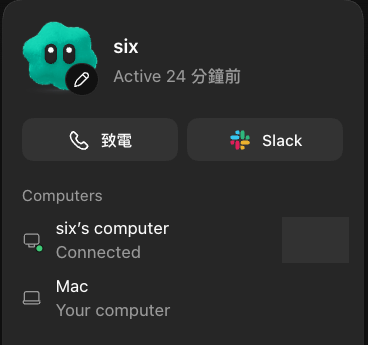
Local projects need the corresponding computer online with the ChatGPT app open. Cloud coding work also needs an appropriate environment. Account, tool, and computer access have separate conditions. Connecting computers and apps
5. Daily planning: prepare options and arrangements
13. Compare travel itineraries
Travel with family can call for rest stops, manageable distances, and rainy-day alternatives.
Build two options for this three-day trip using the dates, hotel location, and budget. Include daily rest time, verify opening and transport information, and add rainy-day alternatives. Do not reserve or buy tickets.
Output: Daily routes, an option comparison, estimated costs, and details to confirm.
Prerequisites: Supply party size, transport preferences, and constraints. Date sources for prices and opening times. Reservations, payments, and personal-data submission are separate authorized actions.
14. Compare products against your actual needs
Weight, warranty, and intended use may matter more than a popularity ranking.
Compare these three commuter backpacks by laptop size, weight, rain protection, and budget. Separate official specifications from user reports, include total prices and warranty sources, and propose a shortlist without ordering.
Output: A criteria table, advantages and drawbacks, and a shortlist.
Prerequisites: Specify the budget and buying region. Stock, delivery charges, and prices can change; verify before purchasing. Access to every retailer is not guaranteed.
15. Separate fixed commitments from flexible weekly tasks
Errands and chores can fit around existing plans with some room to spare.
Use next week’s plans and task list to schedule shopping and chores, leaving half an hour free each day. Keep fixed commitments unchanged, suggest alternatives for conflicts, and give me a plan without editing my calendar.
Output: A weekly plan, conflicts, and alternative slots.
Prerequisites: Provide availability and priorities. Reading a calendar needs access; writing changes or notifying others requires a defined action scope.
6. Ongoing tracking: specify when to check and what merits an update
The previous categories can be one-time tasks. This category needs a saved schedule or a supported event source. Specify timing, time zone, end date, notification conditions, and delivery location, then ask for confirmation of the saved settings. Tasks, schedules, and events
16. Follow tool releases that affect your work
For four weeks, check these three tools’ official release pages every Monday at 9 a.m. Taipei time. Record versions and sources. Notify me in ChatGPT only about breaking changes or removal of a feature I use, and confirm the schedule.
Output: A release-change record and qualifying notifications.
Prerequisites: Name sources and the features you use, and confirm schedule persistence. Periodic checks are different from real-time monitoring; source access is not universal.
17. Flag project deadlines that need intervention
Until this project ends, check the specified task list each workday at 9 a.m. Notify me only when a deadline is near and prerequisites remain incomplete. Include the owner, source, and required decision without changing deadlines.
Output: Risk summaries, task links, and decisions to make.
Prerequisites: Define the risk threshold, time zone, end date, and readable task source. Mark stale data as unknown rather than guessing progress; do not notify the whole team automatically.
18. Triage incoming reports for a human decision
If this connected reporting channel supports new-message events, confirm the monitoring scope first. For new bug reports, summarize reproduction details, possible duplicates, and missing information. Send the summary to me without replying to the reporter or changing production.
Output: A triage summary and missing-information list for each qualifying report.
Prerequisites: The connected service must support the event, with access to the specified channel and confirmed settings. App connection alone does not create monitoring; events and immediate notifications are not supported everywhere.
Adapt one example into your own assignment
Replace the sample material and deadlines with yours, and add where to put the result and when to stop and report a blocker. Email, document sharing, website publication, reservations, payments, and service changes need explicit permitted actions and destinations. Plans and drafts do not include those external actions. Reviewing and controlling work
The call card illustrates the interface, not execution of these 18 scenarios.
Start with a task whose sources and outputs are easy to check. Once the approach fits your needs, add follow-through or tracking settings. For launch background, see the OpenAI DevDay 2026 recap.


